24th February 2026
A step-by-step guide to running Claude Code, Codex, and other AI coding agents on your Mac and accessing them from your iPhone or iPad with Echo, Tailscale, and Mosh.
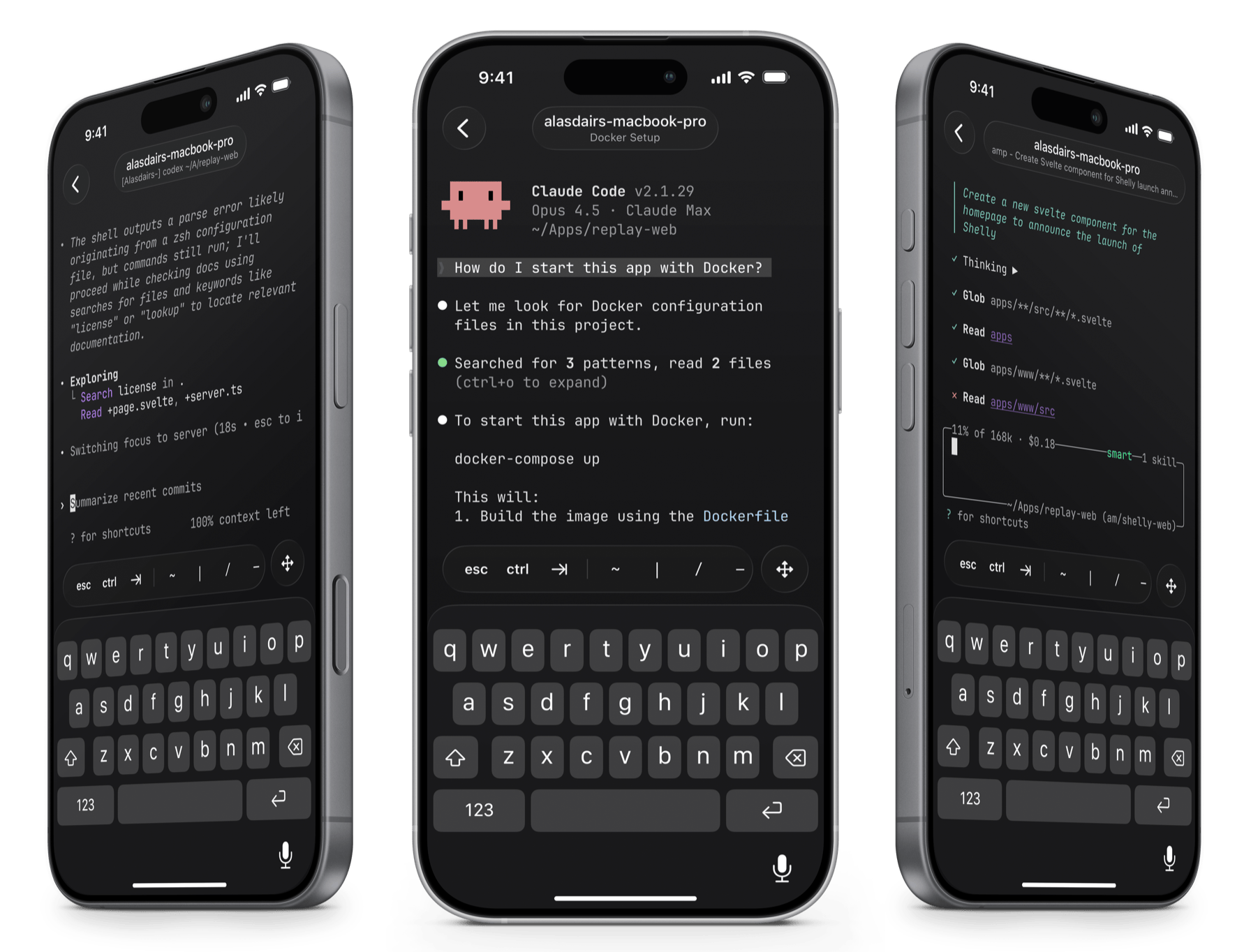
One of the most powerful ways to use Echo is as a mobile interface for AI coding agents. You start a session on your Mac, step away, and pick it right back up on your phone — approve changes, monitor builds, or nudge your agent in the right direction, all from your pocket.
The key ingredient is a terminal multiplexer — software that keeps your terminal sessions alive even after you disconnect. In this guide we'll use Zellij, a modern, Rust-based terminal multiplexer with built-in pane splitting, session management, and a layout system that makes it easy to set up the perfect coding agent workspace.
By the end of this guide, you'll have Claude Code, Codex, or any agent running in a persistent Zellij session on your Mac, fully accessible from your iPhone or iPad — even on the go.
Tailscale creates a private, encrypted network between your devices. No port forwarding, no dynamic DNS, no firewall rules — just install it on both ends and they can talk to each other.
Download Tailscale from the Mac App Store or the Tailscale website and sign in. Once it's running, note your Mac's Tailscale hostname — you'll find it in the Tailscale menu bar app.
Your hostname will be something like my-macbook-pro.
Install Tailscale from the App Store and sign in with the same account. Your phone is now on the same private network as your Mac. That's it — no configuration needed.
You'll need SSH access to your Mac. Open System Settings → General → Sharing and enable Remote Login.
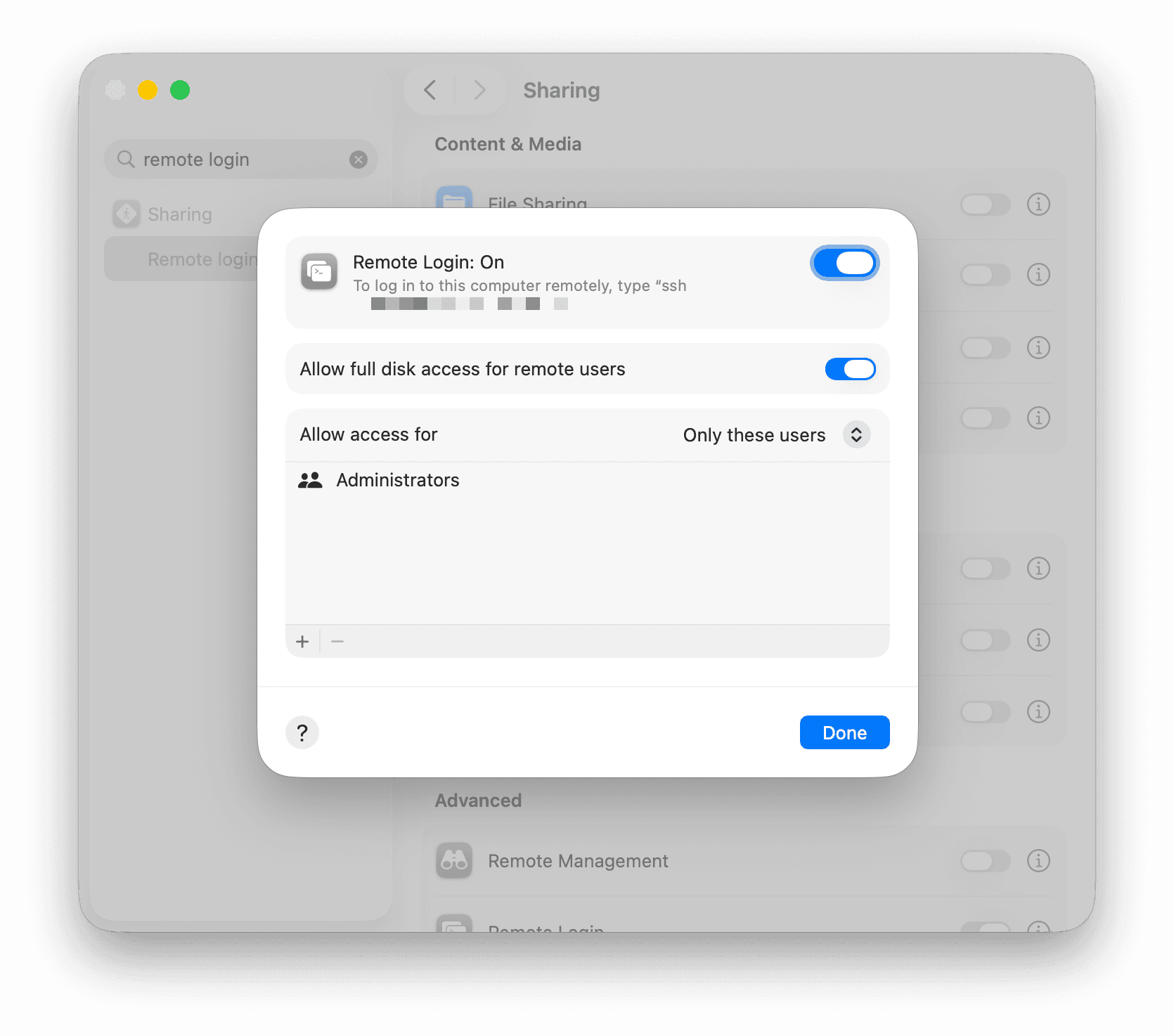
Because Tailscale encrypts traffic end-to-end and your Mac isn't exposed to the public internet, this is already secure. For an even smoother experience, you can enable Tailscale SSH which handles authentication automatically — no keys or passwords needed.
Zellij is a modern terminal multiplexer — think of it as a way to run multiple terminal panes inside a single session that persists even when you disconnect. It's the backbone of this whole setup: start a session on your Mac, disconnect, then reattach from your phone and everything is exactly where you left it.
Install it with Homebrew, then start a named session and run your favourite agent:
brew install zellij
cd ~/my-project
zellij
You're now inside a persistent, named Zellij session with a name like quiet-orchard. Launch your agent — e.g. type claude or codex. That's it — your agent is running in a session that survives disconnects.
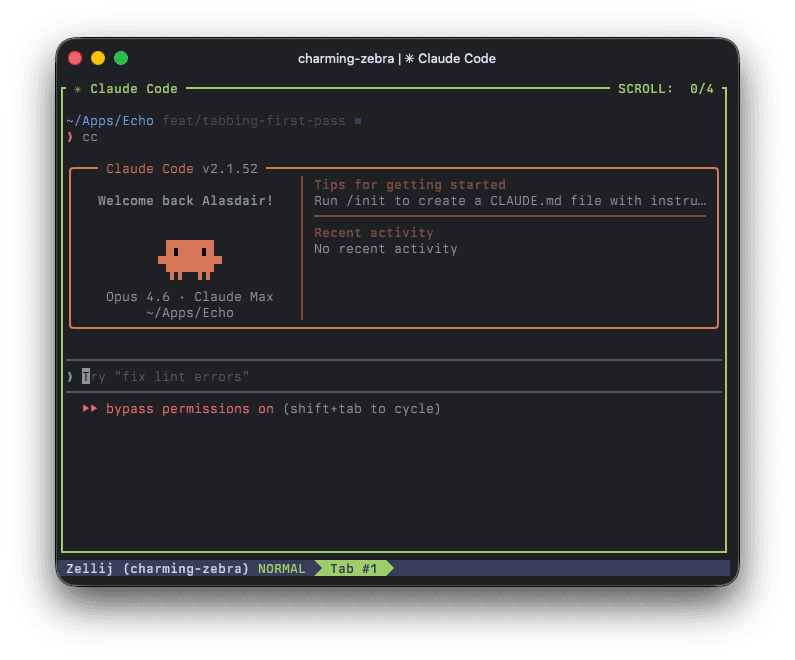
charming-zebra Zellij session with Claude Code running inside.Open Echo on your iPhone or iPad and add a new server. Type your connection as username@hostname, e.g. yourname@my-macbook-pro using your macOS username and Tailscale hostname. Authenticate with your Mac password.
Tap connect, and you're in. Now attach to the Zellij session you started on your Mac:
zellij aEverything is exactly where you left it — your agent is waiting. Start work at your desk, continue from the couch.
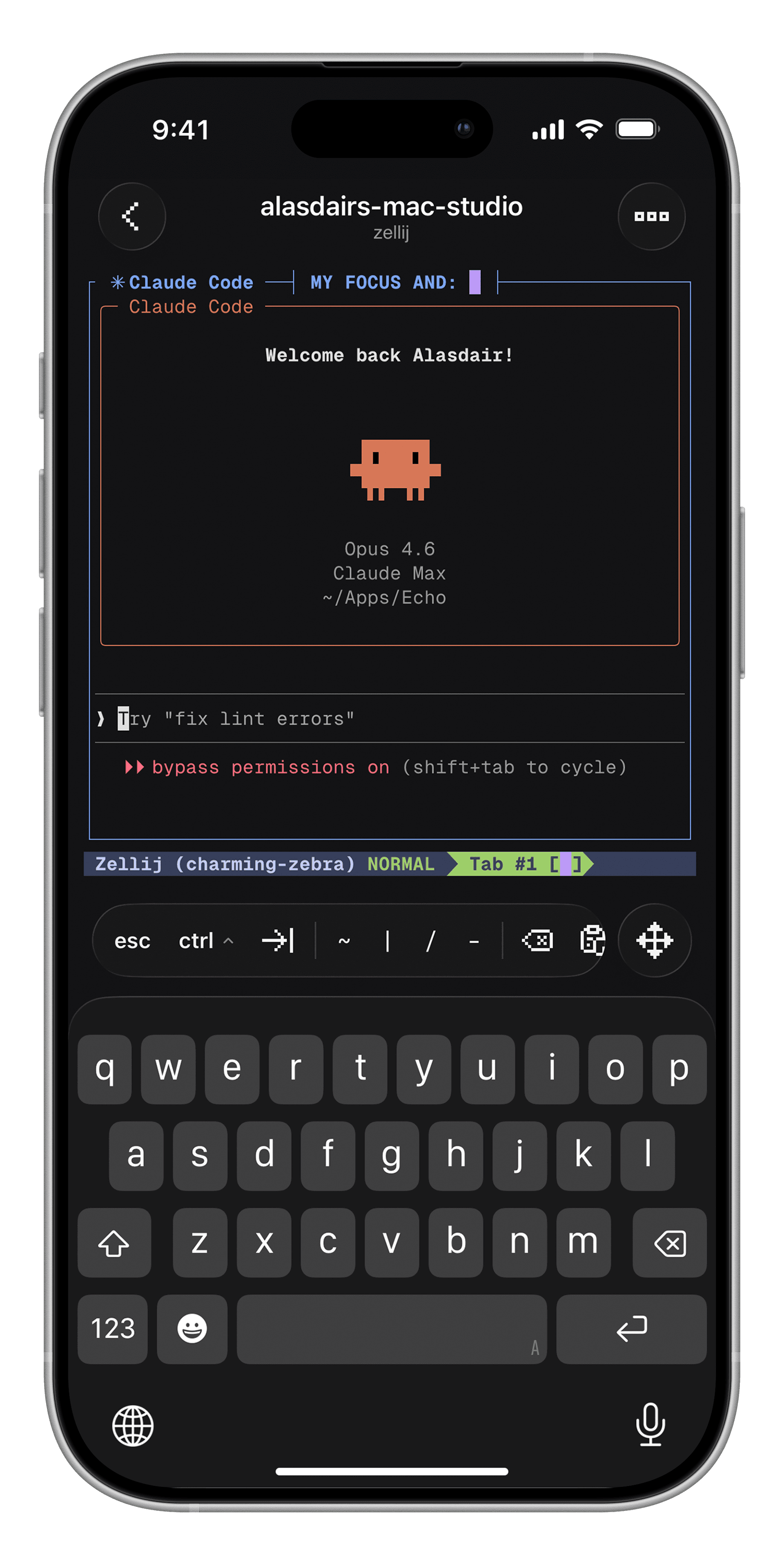
To see all running sessions:
zellij list-sessionsTo detach from a session without stopping it, press Ctrl+o then d. Or just close the SSH connection — the session keeps running.
If you're on patchy mobile data or switching between Wi-Fi and cellular, SSH connections can drop. That's where Mosh comes in. Mosh keeps your connection alive even when your network changes — no reconnecting, no lost output.
Install Mosh on your Mac:
brew install moshThen in Echo, just toggle Mosh on in your server's connection settings. Echo handles the rest. Combined with Zellij, you have an essentially unbreakable connection to your agents.
zellij --session project-name so you can easily find and reattach to sessions with zellij attach project-name.zellij list-sessions to see them all.AI coding agents are changing how we build software. They can run autonomously for minutes at a time, generating code, running tests, and iterating — but they still need a human in the loop to approve changes and provide direction. That human doesn't need to be at a desk.
With Zellij, Echo, and Tailscale, you can supervise your agents from anywhere. Review a diff on the train, approve a deployment from the coffee shop, or kick off a new task from the couch. The terminal is no longer tied to your desk — it's in your pocket.
No subscriptions. No in-app purchases. iPhone & iPad.
Learn more about Echo →

